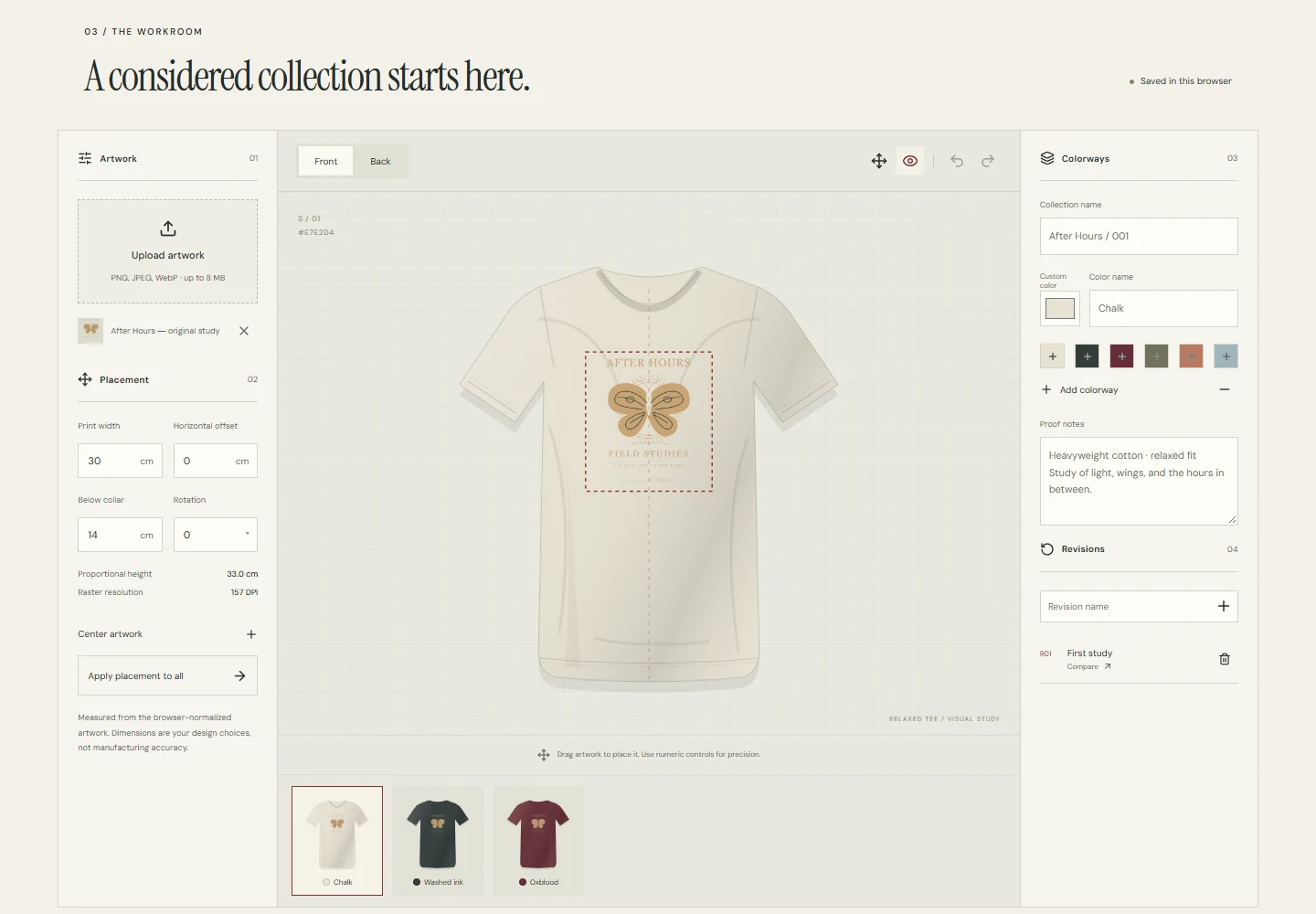
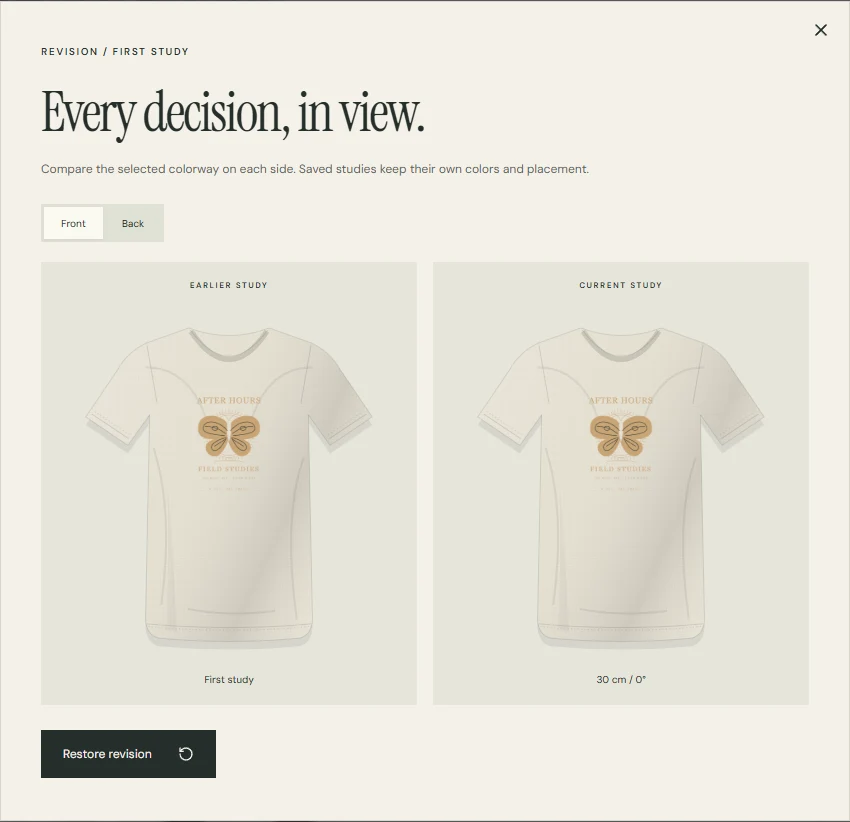
Upload artwork, place it on clothing and choose colours. Compare saved versions and export them to discuss the design.Uploadartwork,placeitonclothingandchoosecolours.Comparesavedversionsandexportthemtodiscussthedesign.
A T-shirt with the After Hours demo artwork and print settings.
01
Getting started
Add artwork, choose a garment colour, and set the print position and scale.Add artwork, choose a garment colour, and set the print position and scale.
02
The result
Saved design versions, a PNG overview, a PDF visual proof, and an editable project file.Saved design versions, a PNG overview, a PDF visual proof, and an editable project file.
03 / Case study
How it works
01
Drag the print or position it with numeric fields. Touch dragging is enabled separately.Drag the print or position it with numeric fields. Touch dragging is enabled separately.
02
Saving checks the project revision. If another tab has already changed the data, the application reports a conflict.Saving checks the project revision. If another tab has already changed the data, the application reports a conflict.
03
PNG and PDF exports use Canvas and the project’s geometry. The interface supports English, Russian and Kazakh.PNG and PDF exports use Canvas and the project’s geometry. The interface supports English, Russian and Kazakh.
04 / Case study
Project limits
A visual proof, not a manufacturing specification or certified print-ready file. Confirm physical dimensions, color, and print method with a printer.A visual proof, not a manufacturing specification or certified print-ready file. Confirm physical dimensions, color, and print method with a printer.