03 / Navigation and accessibility
ITER
One route.
Three ways to read it.
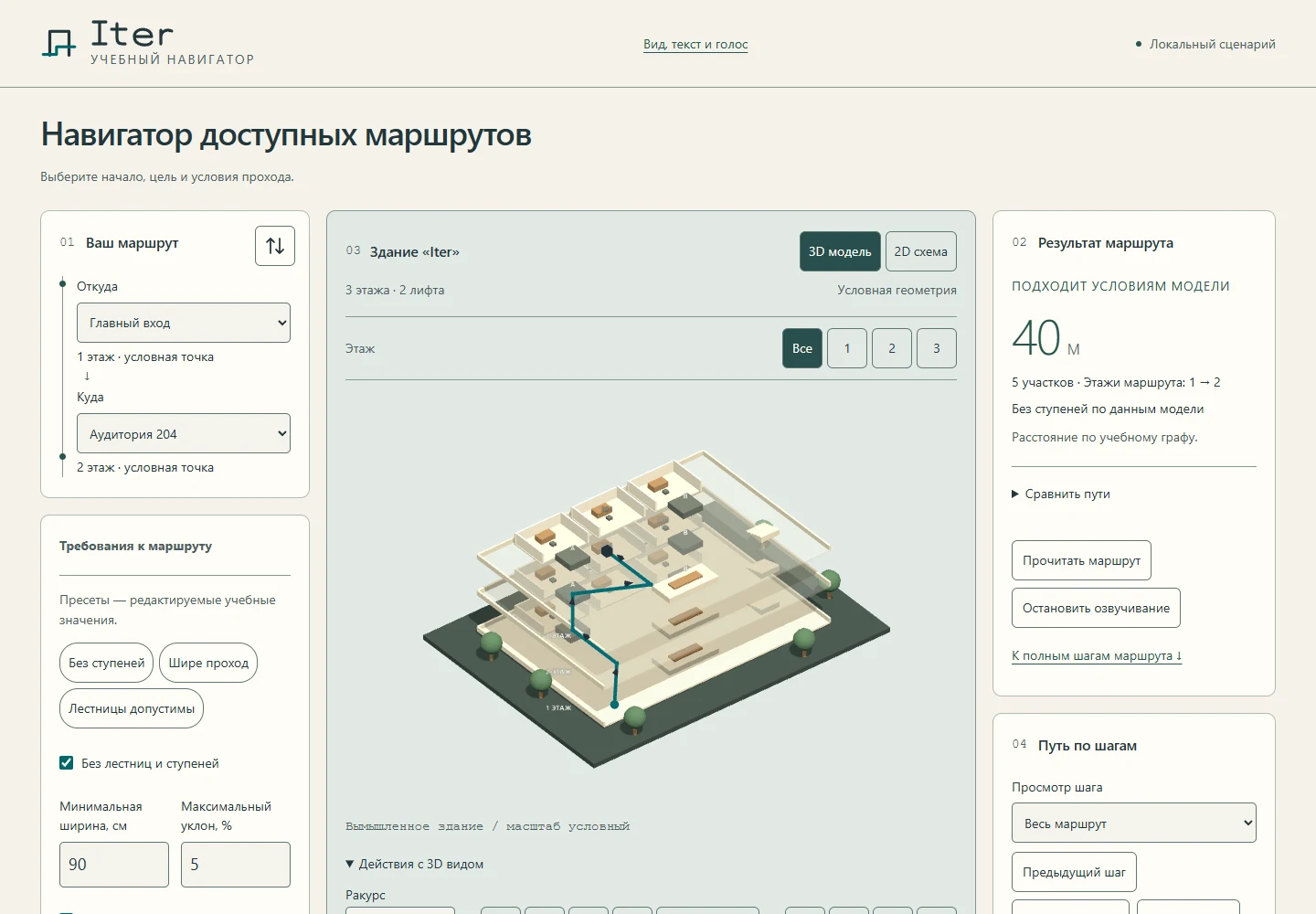
An educational navigator for a fictitious building. Passage constraints, a 3D model, an SVG plan and written steps describe the same route.
01
Getting started
Choose a start, destination, minimum passage width and maximum slope. You can avoid stairs or simulate a lift closure. All data belongs to an educational building.
02
The result
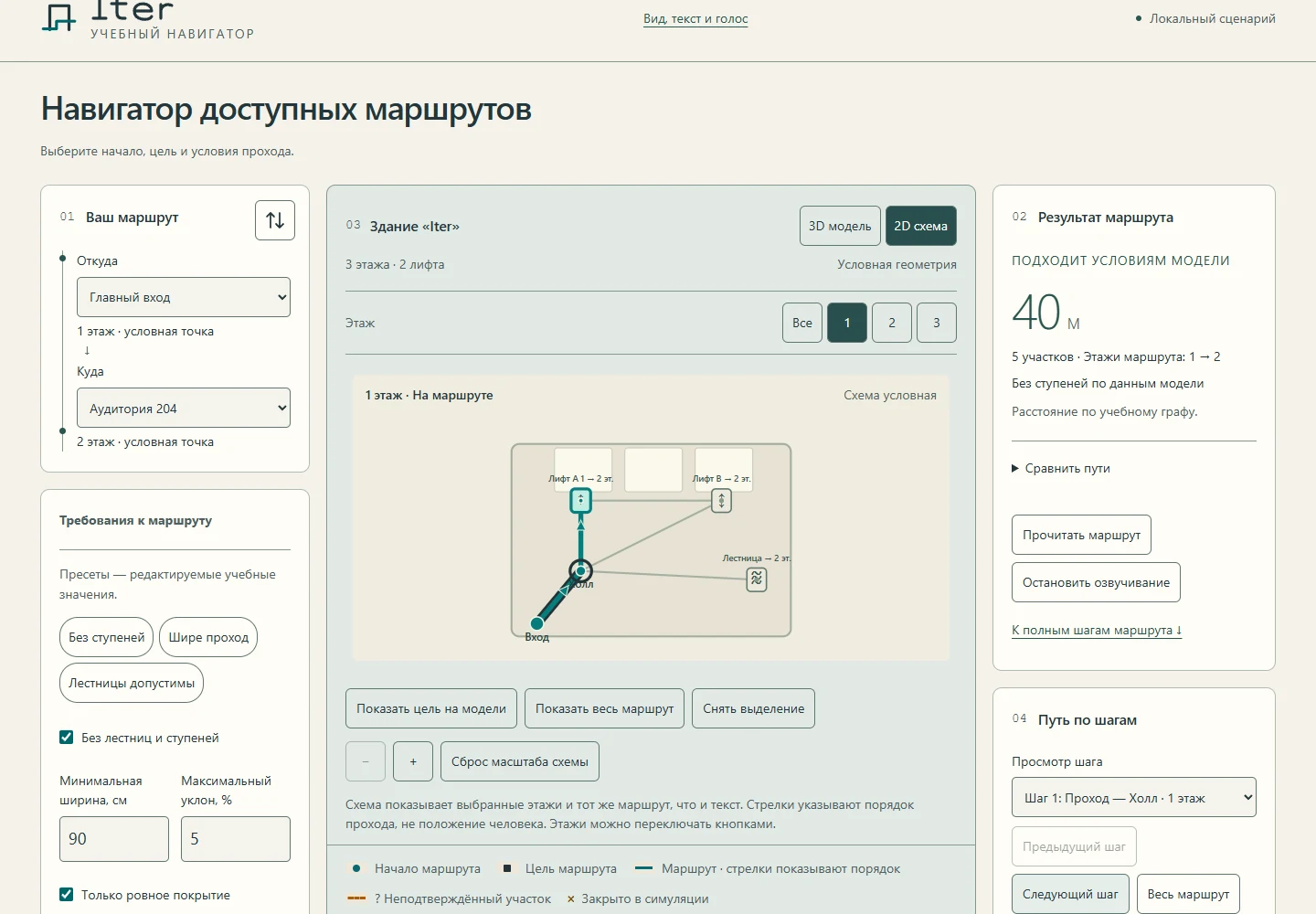
A route with distance, explained constraints, steps, 3D and SVG representations. Select a step from any view.
03 / Case study
How it works
The planner filters graph edges by the constraints and finds the shortest available route. Closed sections and unknown conditions are explicit.
Text, SVG and Three.js share node and edge IDs. Without WebGL, the route remains available as a plan and written steps.
Web Speech API reads the route on request. The educational obstacle wall sends reports through its existing public service with server validation.
04 / Case study
Project limits
A fictitious building and illustrative geometry. Results do not certify the accessibility of a physical space. Voices depend on the browser; the report wall depends on a separate service.
Project documentation